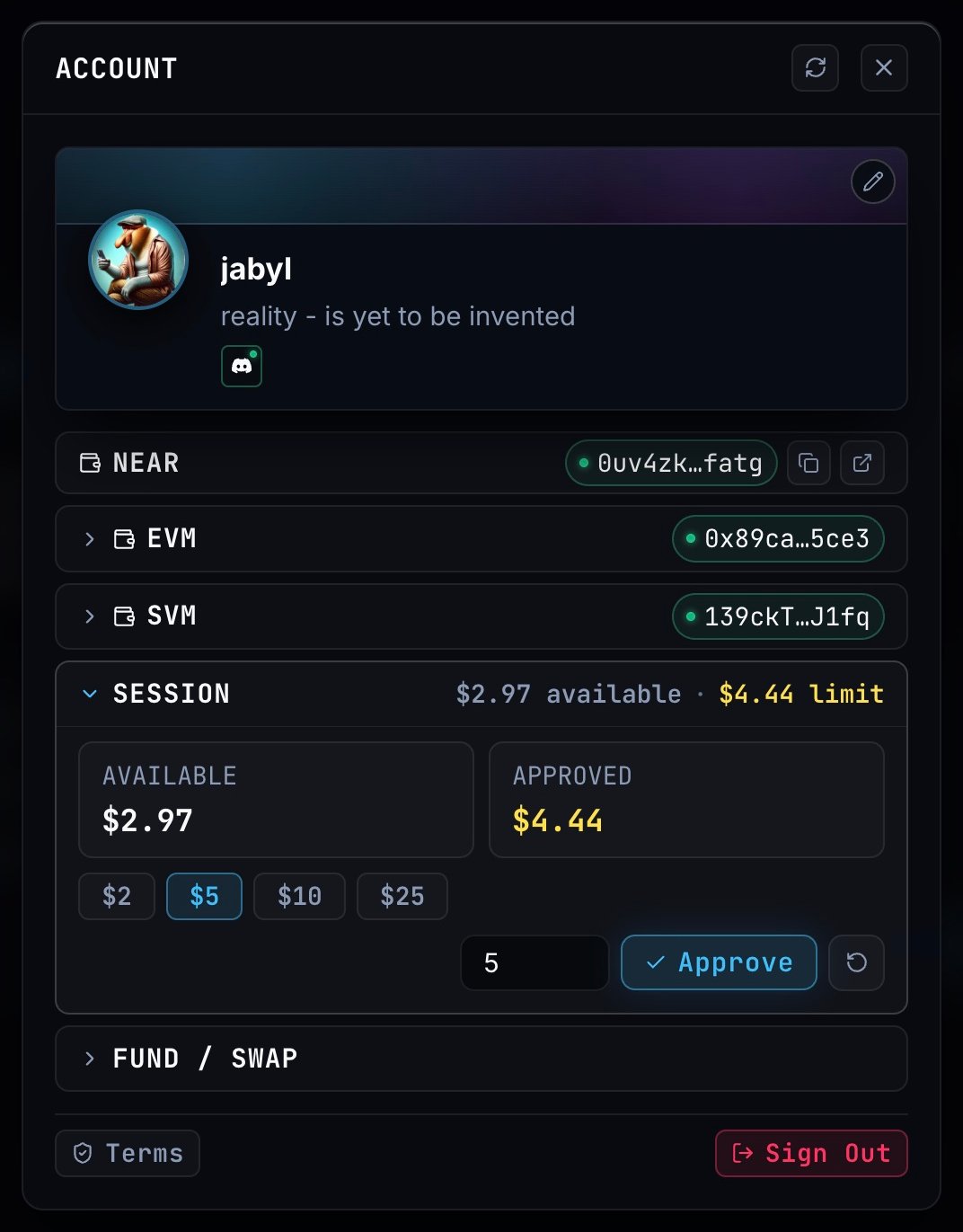
Open your account from the top-right corner, then expand Session. Available is the balance in your deposit wallet; Approved is the balance reserved for workflow spending. Account with Session expanded, showing available funds, approved funds and spending controls Choose $2**, **$5, $10** or **$25, or enter an amount. Click Approve to move that amount into your spending wallet and activate the session. The approved amount is a spending limit. A run charges for the work it performs; it doesn’t charge the whole limit just because you approved it. Use Reclaim unused funds to return the remaining spending balance to your deposit wallet. Need more funds? Open Fund / Swap.

Payment and prices

Run prices depend on the models, connector operations and agents the workflow uses. The result shows the compute bill and service fees separately. Fees use the compute bill as their base. For example, a $0.10** compute bill with a **3%** creator fee and **2%** platform fee totals **$0.105. The runtime meters compute, while x402 settles the workflow’s service fees through the spending session. You can inspect the breakdown and receipt in the run result. A paused run can already have incurred compute charges for its completed work.